

Resetting your Whirlpool washing machine can clear temporary errors, improve performance, and often save you from unnecessary repair costs. This guide covers reset steps for top loaders, front loaders, touch screen models, Cabrio, 6th Sense, and models with a removable agitator, plus what to do if a reset does not fix the issue.
Quick reference: reset by model type
| Model type | Key variation | Reset steps |
|---|---|---|
| Front loader | Standard power-off | Power off, unplug 1 to 2 min, plug in, run short cycle |
| Top loader | Standard power-off | Same as front loader |
| 6th Sense | Standard power-off | Same as front loader |
| Cabrio | Standard power-off | Same as front loader |
| Removable agitator | Standard power-off | Same as front loader |
| Touch screen | Hold POWER 10 seconds | Hold POWER 10 sec, unplug 1 to 2 min, plug in, run short cycle |
| Without unplugging | Soft reset only | Hold POWER about 10 sec, turn back on, run short cycle |
For most models, the only difference is how you turn the machine off; the rest of the steps are the same below.
General reset steps (most Whirlpool washers)
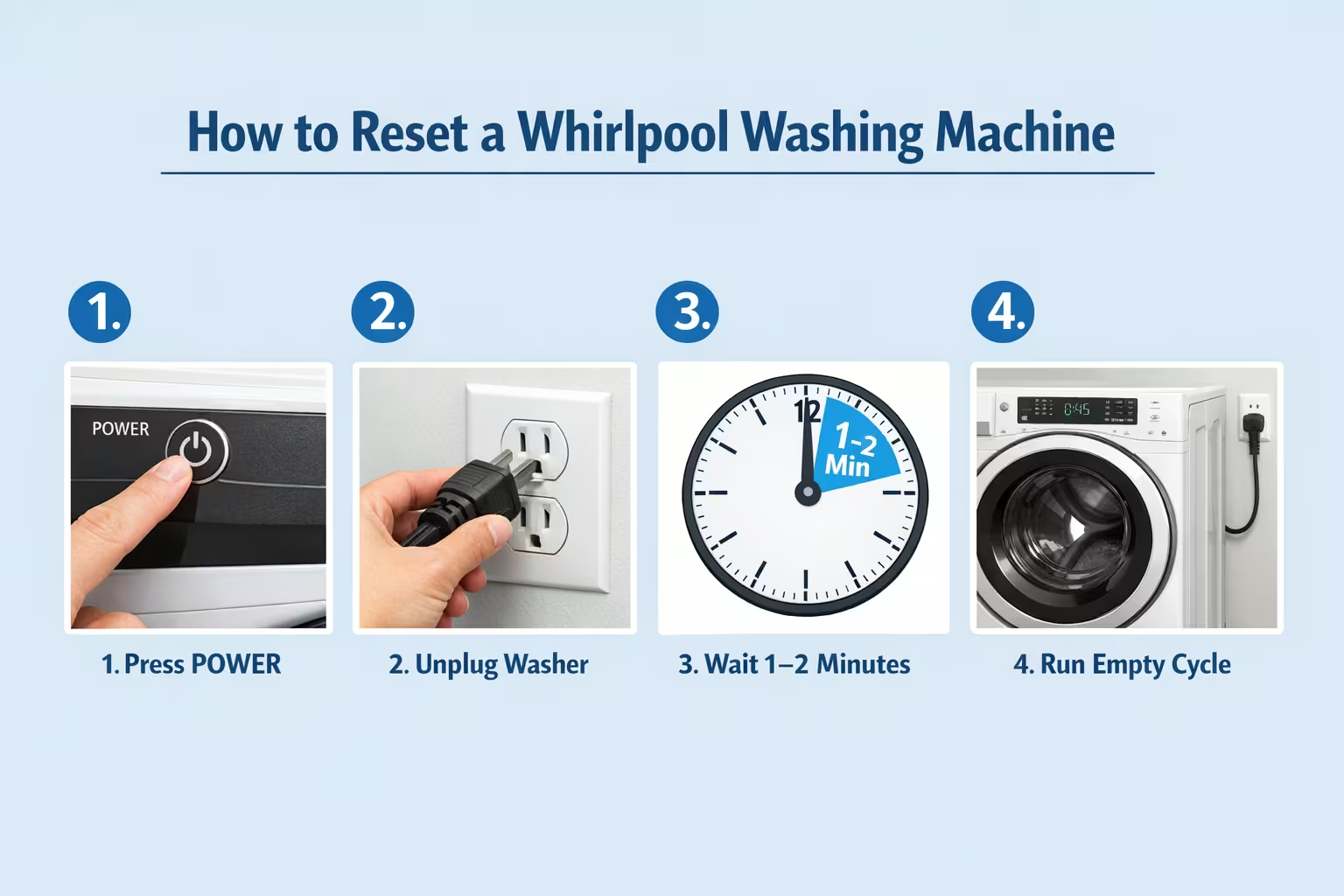
Use this process for front loaders, top loaders, 6th Sense, Cabrio, and washers with a removable agitator:
- Turn off the washer: Press the POWER button on the control panel.
- Cut power for 1 to 2 minutes: Unplug the washer from the outlet, or turn off the circuit breaker.
- Restore power: Plug the washer back in (or turn the breaker back on).
- Test: Run a short cycle with no clothes to confirm the reset worked.
If the machine does not respond to the POWER button, use the circuit breaker so the control board fully powers down.
Model-specific notes
Touch screen models
Step 1 is different: press and hold the POWER button for about 10 seconds until the machine turns off. Then unplug for 1 to 2 minutes, plug back in, and run a short cycle.
Reset without unplugging (soft reset)
If you cannot unplug the washer, you can try a soft reset:
- Press and hold POWER for about 10 seconds until the washer turns off.
- Turn it back on by pressing POWER again.
- Run a short cycle with no clothes to test.
A full reset (unplugging for 1 to 2 minutes) is more reliable for clearing error codes or odd behavior.
Washers with 5 lights (indicator lights)
On models with indicator lights, the exact reset sequence depends on which lights are flashing. Check your user manual for the button combination for your model. Often, a specific sequence of buttons (e.g. certain buttons held together) will reset the machine.
Hard reset
A “hard reset” is the same as the general reset: power off, unplug (or breaker off) for 1 to 2 minutes, then plug back in and run a short test cycle. Use it when a normal reset or soft reset did not help.
Whirlpool washer reset not working?
If the washer still has issues after a reset:
| What to do | Why it helps |
|---|---|
| Check error codes | Codes like F1 to F9 point to specific parts or faults (e.g. drain, motor, sensor). Your manual explains each code for your model. |
| Use the user manual | It has model-specific codes, reset sequences, and safety information. |
| Call ARS Repair Inc. | If the problem continues, our technicians can diagnose and repair your Whirlpool washer. We service South Florida and handle washing machine repairs every day. |
When to call a professional
Resetting fixes many glitches, but some issues need a technician:
- Error codes that stay on or come back after a reset
- Mechanical problems: leaks, loud banging, or failure to spin
- No power: washer does not turn on at all
- Same issue after several reset attempts
ARS Repair Inc. offers expert Whirlpool washing machine repair across South Florida. Our trained technicians can find and fix the cause so your machine runs reliably again.